
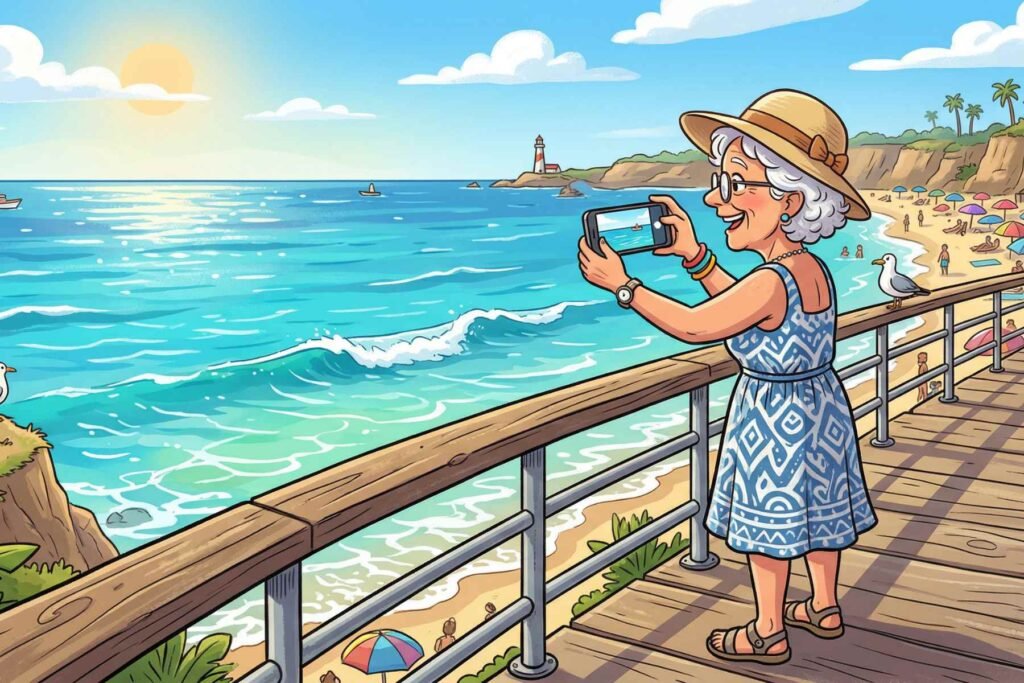
The Best Camera Is the One in Your Pocket: Smartphone Photography for Seniors
Let me ask you something. When was the last time you saw something absolutely beautiful, a grandchild’s grin, a cardinal sitting on a snow-dusted branch, a sunset so orange it looked fake, and thought, “If only I had my camera”?
Here’s a little secret: you did have your camera. It was in your pocket the entire time.
Your smartphone, whether it’s an iPhone or an Android, is packing more photographic firepower than the $3,000 professional cameras from just fifteen years ago. And unlike those fancy cameras, your phone doesn’t require a separate bag, a charging case, a warranty plan, and a chiropractor appointment after lugging it around all day.
You are already a photographer. You just need a few simple tricks to start taking photos that actually look as good as what you see with your own eyes. No jargon. No expensive gear. No stress. Let’s do this.
💡 The Golden Rule of Smartphone Photography: The best photo is the one you actually take. And the best camera is the one you already have with you.
Step 1: The “Secret” 2-Second Maintenance Trick
Before I talk about angles, lighting, or any of that fun stuff, I need to address the single biggest reason most smartphone photos look blurry or hazy, and it has nothing to do with your phone being old or your hands shaking.
It’s your lens. It’s filthy.
Think about where your phone lives. In your pocket with your keys and a few crumbs from that granola bar. In your purse next to a tube of lip balm. On the kitchen counter where someone was cutting onions earlier. Your phone’s camera lens collects fingerprints, dust, and mystery smudges at a truly impressive rate.
When you photograph through a greasy lens, you don’t get a crisp, clear image, you get something that looks like an oil painting from the Impressionist era. Beautiful in a museum, not so much when you’re trying to capture your grandson blowing out birthday candles.
✅ The Fix: Before every single photo session, take two seconds to wipe your camera lens with a soft cloth. A microfiber cloth is ideal, but the corner of a clean cotton t-shirt works just fine. No spit, we’re not cleaning your reading glasses here. Just a gentle, dry wipe. That’s it. You will be stunned at the difference.
Step 2: Stop “Pinching” to Zoom, Walk With Your Feet Instead
Pinching the screen to zoom in feels so natural. So intuitive. So satisfying. And it is almost always ruining your photos.
Here’s what’s actually happening when you pinch to zoom: your phone isn’t truly zooming in the way a real optical lens would. It’s digitally stretching the image, essentially blowing it up like a digital balloon, which makes everything look grainy, blurry, and what photographers call “noisy.” You’ve essentially traded a perfectly sharp photo for a pixelated mess.
The solution? Your legs. Revolutionary, I know.
✅ The Fix: When you want to get closer to your subject, take a few steps forward. If you physically can’t get closer (the butterfly will fly away, your grandchild is at the end of the hallway), take the photo from where you are, at full, un-zoomed size, and then crop it afterward in your Photos app. Cropping preserves the sharpness. Pinching destroys it. Your feet are now your zoom lens.
Step 3: Master the Steady Hand, Use Your Volume Button
Here is a tip that will feel strange the first time you try it and then feel completely obvious for the rest of your life.
When most people take a photo, they tap the big circle on the screen. The problem? That tap causes a tiny jolt, your finger hits the glass, the phone wiggles slightly, and the photo comes out blurry. It’s not your hands. It’s the physics of pressing a flat screen.
Here’s the trick the photography crowd doesn’t advertise: your volume buttons are a shutter.
✅ The Fix: Hold your phone with both hands, like you’re holding a small sandwich, not dangling it with two fingers. Open your camera app. Then, instead of tapping the screen, press the Volume Up (+) button on the side of your phone. Click. Photo taken. No jolt, no wobble, no blur. It works on virtually every iPhone and Android phone made in the last decade. Try it once and you’ll never go back.
Step 4: Let the Phone Do the Work, The “Tap and Slide” Trick
Your smartphone’s camera is, frankly, a genius. It’s constantly calculating light, color, and focus dozens of times per second. The trouble is, it sometimes focuses on the wrong thing. It might lock onto the busy background instead of your subject’s face, or it might decide that the lamp in the corner is the star of the show.
You can take back control without learning a single technical setting.
✅ The Fix: Open your camera and point it at your subject. Now tap directly on their face, or on the flower, or whatever it is you actually want sharp and clear. A little yellow box will appear right where you tapped. That’s your phone saying, “Got it! Focusing here.”
Here’s the bonus move: once that yellow box appears, slide your finger slowly up on the screen to make the photo brighter, or down to make it darker. No menus. No settings. Just tap and slide. You’ve just done what photographers call “adjusting exposure,” and you did it in about four seconds.
Your 7-Day Pocket Challenge 📷
The best way to get comfortable with your smartphone camera is to use it every single day, but with a little direction so you’re not just staring at your phone wondering what to photograph. Think of this as a one-week creative adventure, one tiny mission per day.
Apply your new skills each day: wipe the lens, use your feet to get close, press the volume button, and tap your subject to focus. Ready?
- 🔴 Day 1 — Something Red: A cardinal at the feeder, a tomato in the garden, a neighbor’s fire-engine-red car. Red is dramatic and it photographs beautifully.
- 🌳 Day 2 — A Texture: Get close to the bark of an old oak tree, a knitted blanket, a brick wall. Walk up to it. Fill the whole frame. You’ll be amazed at the detail.
- 🌅 Day 3 — The Sky (With a Twist): Don’t photograph the sunset, photograph the sky 15 minutes after the sun goes down. The colors at that moment are extraordinary and most people miss them entirely.
- 😂 Day 4 — A Candid Moment: Catch someone laughing, chatting, or completely absorbed in something. Don’t announce you’re taking it. Candid shots are always the ones people treasure most.
- ⏳ Day 5 — Something Old: An antique in the house, a weathered fence post, a pair of well-worn shoes with a lifetime of stories in the leather. Age is beautiful, and the camera sees it.
- 🧱 Day 6 — A Pattern: Tiles on the floor, a row of palm trees, a picket fence stretching into the distance. Patterns are endlessly satisfying and almost always make great photos.
- 🍽️ Day 7 — Your Favorite Meal: Hold the phone directly above your plate and shoot straight down. This “top-down” or “flat lay” shot is what food bloggers use, and now you’ll know the secret too.
Seven days, seven photos, four simple skills. At the end of the week, you’ll have a small portfolio you’re proud of, and habits that will make every photo you take from here on sharper, clearer, and more intentional.
📸 Your pocket has been hiding a great camera this whole time.
Now you know exactly how to use it. Share one of your 7-Day Challenge photos in the comments, I’d love to see what you find out there!
Have a question about your specific phone or camera app? Drop it below, no question is too basic here.