
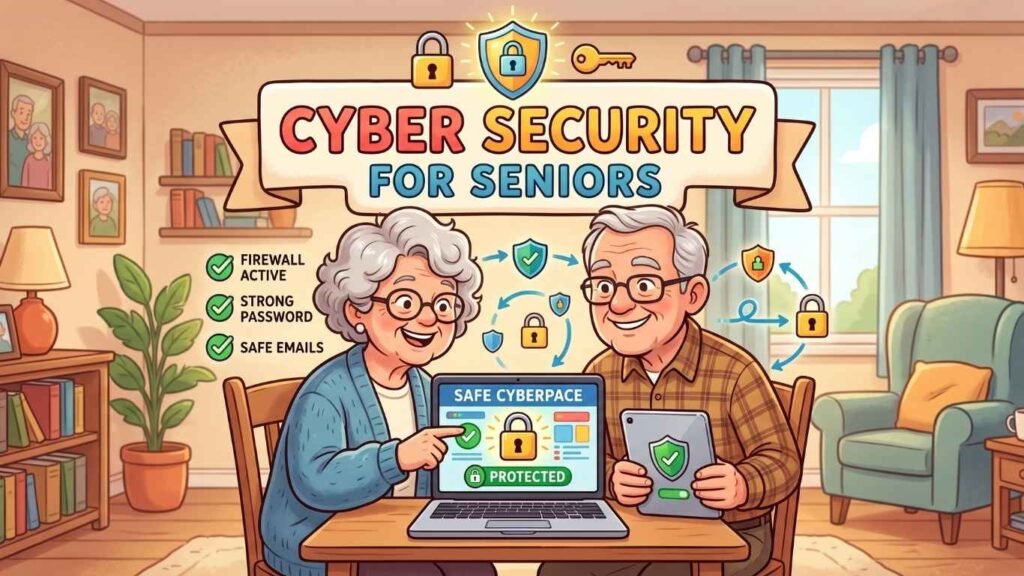
Cyber Security for Seniors: How to Stay Safe Online (Without Losing Your Mind or Your Savings)
Pull up a lawn chair, friends, because we need to talk about something that sounds about as fun as a root canal: cyber security.
I know, I know. Your eyes just glazed over like a Krispy Kreme. But stick with me, because October is Cyber Security Awareness Month, and I promise to make this painless. No tech jargon, no lectures, and nobody is going to make you feel silly. I’ve clicked on things I shouldn’t have, too. (We’ll call it “research.”)
Grab your coffee, and let’s get you safer online, one easy step at a time.
What Is Cyber Security, Anyway?
Cyber security is a fancy way of saying “locking your doors,” except the doors are on your computer, phone, tablet, and anything else that connects to the internet.
You wouldn’t leave your front door wide open with a sign that says “Help yourself to the silverware and my bank account.” Cyber security is just the online version of that common sense. It’s the habits and tools that keep your personal information away from people who shouldn’t have it.
Those folks are usually called hackers or scammers. Picture a raccoon in your trash can, only this raccoon wants your Social Security number and doesn’t care about the leftover meatloaf.
Cyber security covers things like:
- Passwords (the keys to your online life)
- Your personal information (name, address, birthday, account numbers)
- Your devices (phones, computers, tablets, even that smart TV)
- Your email and bank accounts
That’s it. No cape or hoodie required, and you don’t need a degree in computer science.
Why Should Seniors Care? (Spoiler: Scammers Are Rude Like That)
Here’s the part that makes my blood pressure do the cha-cha: scammers love targeting seniors.
It isn’t because seniors are less intelligent. You’ve survived decades of bad haircuts, gas lines, and disco. You’re sharp! Scammers target seniors for a few sneaky reasons:
- You’ve worked hard and saved. Retirement accounts, home equity, and savings make you an attractive target. That’s flattering in the way a bear finds your picnic basket flattering.
- You were raised to be polite. When someone calls and says they need help, your instinct is to be kind. That’s a wonderful quality, and scammers exploit it shamelessly.
- Technology changed fast. Many of us grew up when the most advanced security system was a dog named Duke. Now we’re expected to know about “the cloud,” and nobody has explained what that is (it’s not the fluffy kind).
Seniors also lose billions of dollars to fraud each year, according to the FBI’s Internet Crime Complaint Center. And the losses are often bigger per person, because scammers go after life savings.
The point isn’t to scare you. It’s to get you to put your guard up just a little bit, like a bouncer who is polite but firm. You don’t have to be afraid of the internet. You just have to be a little suspicious of strangers on it, which is how you treat the guy at the flea market selling “genuine” Rolexes for $15.
What Can Seniors Do to Protect Themselves?
Good news! Most of staying safe comes down to a handful of habits. Let’s walk through them.
1. Create Strong Passwords (And Please, Not “Password123”)
If your password is your pet’s name, your birthday, or the word “password,” we need to have a gentle intervention.
A strong password is long and unusual. Here’s my favorite trick: use a passphrase, which is a string of random words, like PurpleToaster Dances Over Tuesday! It’s easy for you to remember, but a hacker’s computer will cry trying to guess it.
And no, you shouldn’t use the same password everywhere. That’s like using one key for your house, your car, your safe deposit box, and your neighbor’s shed. If a crook gets that one key, it’s a party for them.
2. Use a Password Manager
“But how will I remember all those passwords?” Great question! A password manager is a secure app that remembers them for you. You only need to remember one master password, and it does the rest. Think of it as a very trustworthy butler who never gossips. Do not save your passwords on your browser.
If that sounds like too much, a notebook kept in a safe spot at home beats reusing the same weak password. Just don’t tape it to your monitor. That’s the digital version of hiding your house key under the welcome mat.
3. Turn On Two-Factor Authentication
Two-factor authentication (sometimes called 2FA) sounds intimidating, but it’s easy. After you enter your password, the website sends a code to your phone or email, and you type that in too. It’s a second lock on the door.
Even if a scammer steals your password, they’d also need your phone. Unless your phone is in a sock drawer somewhere in Boise, they’re out of luck.
4. Learn to Spot Phishing (No, Not the Fun Kind With a Fishing Pole)
“Phishing” is when a scammer sends you an email, text, or message pretending to be someone you trust, like your bank, Amazon, Medicare, or even your grandkid. The goal is to get you to click a link, hand over information, or send money.
Watch for these red flags:
- A sense of panic. “Your account will be CLOSED in 24 hours!” Real companies rarely work this way.
- Weird spelling and grammar. If the “bank” can’t spell “account,” that’s a clue.
- Strange email addresses. “support@amaz0n-help.biz” is not Amazon. Amazon would never be that sloppy.
- Requests for gift cards. No legitimate business or government agency will ever demand payment in gift cards. Nobody. Ever. The IRS does not take iTunes cards.
My golden rule: when in doubt, don’t click. Instead, go straight to the company’s real website or call the number on the back of your card.
5. Keep Your Devices Updated
You know those little pop-ups that say “Update available” and you hit “Remind me later” for eleven months? Those updates often fix security holes that hackers love to sneak through.
Think of updates like getting the oil changed. Annoying, yes, but cheaper than a new engine. Turn on automatic updates if you can, and let your devices take care of themselves.
6. Be Careful on Public Wi-Fi
Free Wi-Fi at the coffee shop, library, or airport is wonderful for browsing, but not so great for banking. Public networks can be less secure, so save your bank logins and shopping for home, or use your phone’s cellular data instead. When I travel I use a travel router.
More Tips to Keep You Safe and Sassy
Here are a few bonus tips to round out your cyber security toolkit.
Hang up on suspicious phone calls. If someone calls claiming to be tech support, the IRS, or Medicare and demands information or money, hang up. Being polite is lovely, but you’re not obligated to stay on the line with a stranger who is trying to rob you. You can say “I’ll call you back at the official number” and then hang up. Scammers hate that.
Beware the “grandparent scam.” Someone calls pretending to be your grandchild in trouble, crying, and begging you to wire money and “not tell Mom and Dad.” Scammers can even fake voices now using artificial intelligence. Set up a family code word that only your loved ones know. If a “grandchild” calls in a panic, ask for the code word. If they don’t know it, you’ve just foiled a crook. Take a bow.
Think before you share on social media. Your birthday, your hometown, your pet’s name, and your vacation plans are all gold to scammers. Posting “Off to Florida for two weeks!” is basically an invitation for burglars to come visit. Share the photos after you get home.
Check your bank and credit card statements. Look them over regularly for charges you don’t recognize. Catching a small problem early beats a big problem later. You can also freeze your credit for free, which makes it much harder for thieves to open accounts in your name.
Use antivirus software. A good antivirus program is like a guard dog for your computer. It barks (politely) when something shady shows up.
Don’t be embarrassed to ask for help. If something feels off, talk to a family member, a friend, or your bank. Scammers count on shame to keep you quiet, but there’s no shame in it. Even tech experts get fooled sometimes. If you’ve been scammed, report it to the FTC at ReportFraud.ftc.gov. The sooner you act, the better your chances of limiting the damage.
Final Thoughts
Cyber security doesn’t have to be scary, confusing, or boring (okay, maybe a little boring, but I did my best). It all comes down to a few simple habits: use strong passwords, turn on two-factor authentication, think before you click, keep things updated, and trust your gut when something smells fishy.
You’ve spent decades being smart, savvy, and one step ahead. The internet is just a new neighborhood, and a few street smarts go a long way. You don’t need to be a tech wizard. You just need to be a little skeptical, a little careful, and willing to ask for help when you need it.
So this October, take ten minutes to change a weak password, turn on one security feature, and tell a friend what you learned. You’ll be safer, your friends will be safer, and the scammers will be very, very grumpy.
Stay safe out there, friends. And remember, if a stranger online promises you a free cruise, a prince’s fortune, or a miracle supplement, the only thing getting a free ride is the scammer.
Until next time, keep your passwords strong and your sense of humor stronger!
Enjoyed this article? Use the buttons above to discover more tips, tools, and resources to help you stay informed, safe, and independent. If you found it helpful, share it with someone who appreciates a little extra knowledge and a lot fewer surprises. Want more tips, ideas, and the occasional bad joke? Subscribe below and I’ll send you one friendly update monthly on the last Friday. No spam, just helpful content and a little encouragement for the road ahead.