
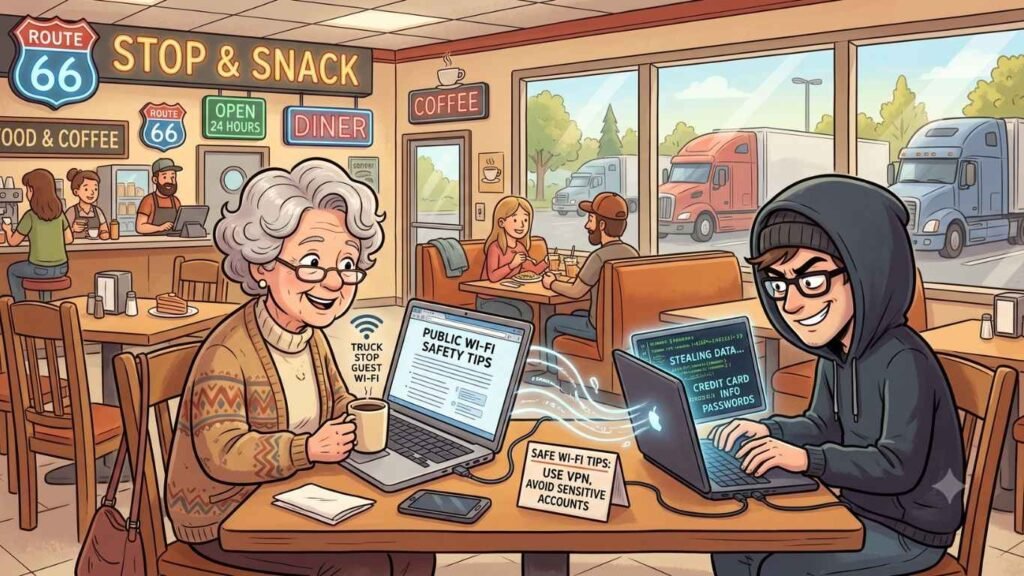
Public Wi-Fi Safety Tips for Travelers (Without Losing Your Mind or Your Bank Account)
I’m writing this one from a motel room somewhere along Route 66, sipping coffee that’s been made fresh with my mini-Keurig knock off that has probably seen more states than most people. Funny enough, is exactly what got me thinking about today’s topic.
See, here I am, happily connected to “Motel_Guest_WiFi,” updating my Homebank app, paying bills (yup still have to do that while on vacation) and working on this website, and I realized something: I have absolutely no idea who else is on this network, what they’re doing, or whether my savings account is currently being siphoned off by someone three rooms away wearing a trucker hat and a smirk.
So let’s talk about public Wi-Fi. What it is, why we can’t seem to live without it on the road, why it can bite you, and how to use it without turning your road trip into a cautionary tale you tell at Thanksgiving for the next decade.
What Exactly Is Public Wi-Fi?
Public Wi-Fi is any wireless internet connection that isn’t locked down just for you, think hotel lobbies and rooms, coffee shops, truck stops, airports, campgrounds, and yes, diners with coffee older than I am. You connect, sometimes you type in a password like “guest123” that a sixth grader could crack, and boom, you’re online.
The problem is right there in the name: public. Anyone else in that coffee shop, motel, or rest area can hop on the same network. Most of them are just checking email or looking up whether the next gas station has a bathroom that doesn’t require a biohazard suit. But some of them are up to no good, and public Wi-Fi is basically their favorite hunting ground.
Why We Keep Using It Anyway (Because Let’s Be Honest, We Do)
Now, I could just tell you “never use public Wi-Fi” and call it a day, but that’s about as useful as telling someone on a road trip to “just avoid gas station bathrooms.” Sometimes you don’t have a choice.
Here’s why us traveling folks lean on public Wi-Fi so much:
- Work doesn’t stop just because you’re on Route 66. Some of us are still fielding emails, hopping on video calls, or running a small business from a motel parking lot with suspiciously good signal.
- Travel plans change constantly. Maybe a storm’s rolling in, a motel cancels your reservation, or you need to pull up directions after taking a “scenic detour” that was really just you missing the turn.
- Banking and bill paying. Your mortgage or landlord doesn’t care that you’re chasing neon signs across three states. Sometimes you’ve got to log in and pay it.
- Staying connected with family. Sharing photos, video calling the grandkids, or letting everyone know you haven’t been abducted by aliens near Roswell (a very real concern depending on your route).
So no, I’m not going to pretend we can all just unplug for the sake of security. Public Wi-Fi is often necessary. The trick is using it smartly.
The Dangers Lurking Behind That “Connected” Icon
Here’s where I put on my serious hat for a minute (don’t worry, it’s still got a little bit of a goofy feather in it).
Public Wi-Fi networks are, by design, less secure than your home network. That openness is exactly what makes them convenient, and exactly what makes them risky. A few of the greatest hits:
- Snooping. On an unsecured network, someone with the right (cheap, easily available) tools can potentially see the data traveling between your device and the internet. That includes passwords, emails, and other info you’d rather keep private.
- Fake hotspots. Ever seen two networks named almost the same thing, like “Hotel_Guest” and “Hotel_Guest_Free”? One might be legit. The other might be a scammer sitting in the parking lot, hoping you’ll connect to their fake version instead.
- Man-in-the-middle attacks. Sounds like a spy movie, and honestly, it kind of is one. This is when a bad actor quietly inserts themselves between you and the website you’re visiting, intercepting information without you ever knowing they’re there.
- Malware distribution. Some sketchy public networks can be used to push malicious software onto connected devices.
None of this means every truck stop Wi-Fi network is secretly run by a criminal mastermind. Most aren’t. But the risk is real enough that a little caution goes a long way, especially for us seniors, who scammers love to target because they assume (wrongly, most of the time) that we’re easy marks.
Why Bother Protecting Yourself
Look, I get it. You’re on vacation. You want to look at Route 66 oddities and attractions, eat pie you don’t need, and not think about cybersecurity. But here’s the thing: the whole point of a good road trip is peace of mind. Nothing ruins a scenic drive faster than realizing someone drained your checking account while you were admiring a giant fiberglass dinosaur.
Protecting yourself isn’t about paranoia. It’s about giving yourself the freedom to actually enjoy the trip without that nagging “wait, did I just do something dumb” feeling every time you check your email at a rest stop.
How to Actually Protect Yourself (Without a Computer Science Degree)
Good news: you don’t need to become a tech wizard to travel safely. A few smart habits go a long way.
Use a VPN
A VPN, or Virtual Private Network, is basically a secure tunnel for your internet traffic. Instead of your data floating out in the open where nosy neighbors (digital ones) can peek at it, a VPN scrambles it up so it’s much harder for anyone to snoop.
Setting one up is usually as simple as downloading an app, creating an account, and tapping a button before you connect to any public network. Some popular, reputable options include NordVPN, ExpressVPN, and ProtonVPN. Turn it on before you connect to that motel Wi-Fi, and leave it running the whole time you’re online. I have one that comes with my anti-virus software.
Consider a Travel Router
This one’s a bit of an upgrade, but it’s a favorite among road trip regulars for good reason. A travel router is a small, portable device that creates your own private Wi-Fi network using a public connection (or even just your phone’s hotspot or a hotel’s Ethernet cable). Instead of your laptop, tablet, and phone all connecting directly to “Motel6_Guest,” they connect to your own little network, which the travel router then filters through a more secure connection to the internet.
Many travel routers also let you run a VPN directly on the router itself, so every device connected to it is automatically protected without you having to fuss with individual VPN apps. It’s a bit like bringing your own secure hotel room instead of trusting the lock on the door someone else installed. I have one and it’s been a game changer.
Stick to Sites With “HTTPS”
Look at the address bar before you enter any sensitive information. If it starts with “https://” (that little “s” matters) and shows a lock icon, the connection between you and that site is encrypted. If it just says “http://,” maybe don’t log into your bank account from there.
Turn Off Auto-Connect
Most phones and laptops are eager beavers when it comes to Wi-Fi, automatically hopping onto any network they recognize. Turn that setting off. You want to choose your networks, not have your device choose them for you while you’re not paying attention.
Avoid Sensitive Transactions When Possible
If you can wait to do your online banking until you’re back on a trusted network, wait. Checking the weather or looking up a restaurant menu on public Wi-Fi is low risk. Logging into your bank or entering credit card info is a bigger gamble. That’s where a travel router and VPN are a must.
Keep Your Software Updated
I know, I know, “just update your phone” is the tech equivalent of “eat your vegetables.” But those updates often patch security holes that scammers love to exploit. Do it before you leave home, so you’re not doing it hunched over a gas station Wi-Fi signal that comes and goes like a shy groundhog.
Use Multi-Factor Authentication
Turn this on for your important accounts (email, banking, social media) if you haven’t already. Even if someone did manage to snag your password, multi-factor authentication means they’d still need that second code, usually sent to your phone, to actually get in.
Double-Check Network Names Before Connecting
Ask an employee for the exact name of the official Wi-Fi network rather than just picking whichever one looks close enough. Scammers count on us being in a hurry, and “close enough” is exactly the gap they slip through.
Final Thoughts
Public Wi-Fi isn’t the enemy here, it’s just a tool that needs to be handled with a little common sense, kind of like a camp stove or a chainsaw. Most of the time, connecting to that motel or diner network is perfectly fine. But a few smart habits, like using a VPN, considering a travel router, sticking to secure sites, and saving your banking for a trusted connection, can save you a world of headaches.
So go ahead, keep chasing those neon signs and giant roadside attractions. Just do it with your digital life buckled in safely alongside you. Now if you’ll excuse me, I need to go find out if this diner’s pie is as good as their Wi-Fi. Wish me luck on both fronts.
Enjoyed this article? Use the buttons above to discover more tips, tools, and resources to help you stay informed, safe, and independent. If you found it helpful, share it with someone who appreciates a little extra knowledge and a lot fewer surprises. Want more tips, ideas, and the occasional bad joke? Subscribe below and I’ll send you one friendly update every Friday. No spam, just helpful content and a little encouragement for the road ahead.